
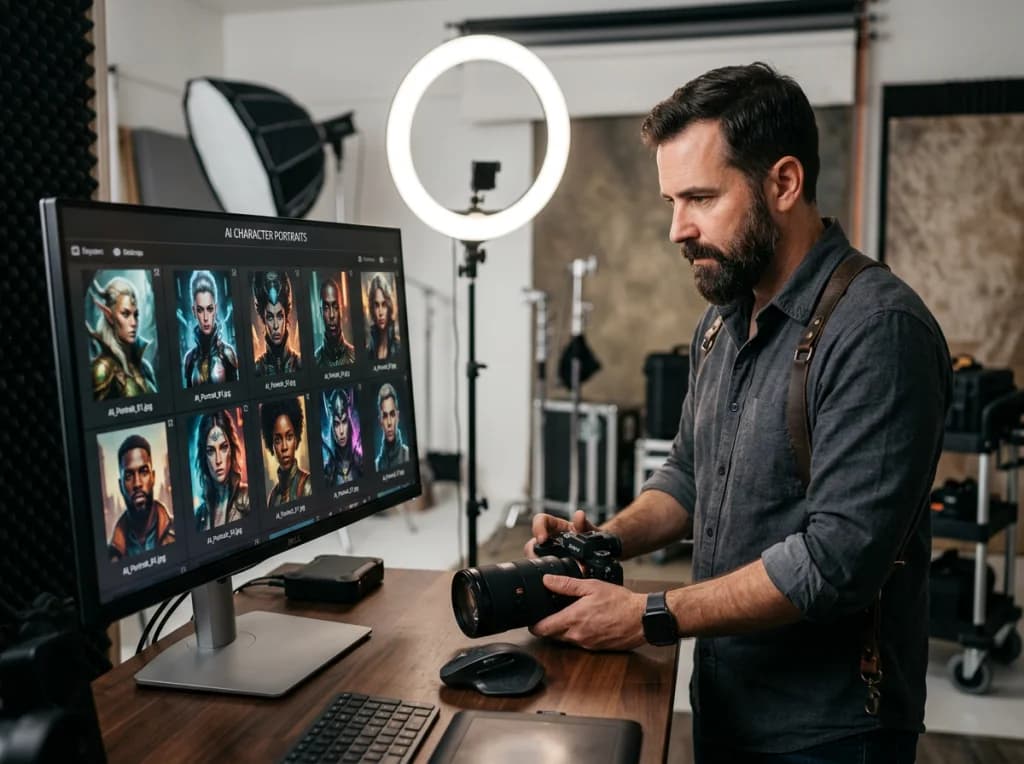
Creating the same character across multiple AI-generated images used to be nearly impossible. You'd generate a perfect avatar, then try to recreate it and get a completely different person. After testing dozens of AI photo generators and training methods, I've found a reliable process that maintains character consistency across unlimited generations.
The secret isn't in the prompts—it's in training a custom model. Here's exactly how to create consistent digital characters for your brand mascots, social media content, or any project requiring the same face repeatedly.

Before You Start: What You'll Need for AI Photo Generator Training
Character consistency requires more than just typing better prompts. You need the right setup and materials before beginning the training process.
Essential Requirements:
- 15-25 high-quality photos of your target character (minimum 1024x1024 pixels)
- Access to an AI photo generator with custom model training (DreamBooth or LoRA capabilities)
- 4-8 hours for initial training (varies by platform)
- Basic understanding of prompt engineering
- Patience—the first attempt rarely produces perfect results
Most free AI art generators don't offer custom training. You'll need platforms like Photo AI Studio, Stable Diffusion with extensions, or specialized services that support model fine-tuning.
Step 1: Preparing Your Training Dataset
The quality of your training images determines everything. I've seen people upload random selfies and wonder why their AI photo generator produces inconsistent results.
Photo Requirements:
- Same person in all images (obviously, but worth stating)
- Multiple angles: front, 3/4 profile, side views
- Different expressions: neutral, smiling, serious
- Various lighting conditions: natural, studio, outdoor
- Clean backgrounds or easily removable ones
- Sharp focus on the face—no blurry or pixelated shots

I recommend taking new photos specifically for training rather than using existing ones. Set up your camera or phone, capture 20-30 shots in one session, then select the best 15-20 for training.
Pro Tip: Include at least 3 photos where the subject looks directly at the camera. These anchor shots help the AI learn facial proportions accurately.
Step 2: Choosing the Right AI Photo Generator Platform
Not all AI image generators support custom model training. After testing multiple platforms, here are the most reliable options:
Professional Options
Photo AI Studio: Offers dedicated character training with their AI photo generator. Upload your photos, wait for training completion, then generate unlimited consistent images.
Replicate: Provides DreamBooth training through their API. More technical but offers fine control over training parameters.
Free Alternatives
Google Colab + Stable Diffusion: Requires coding knowledge but completely free. Expect 2-4 hours of setup time for beginners.
This video demonstrates some advanced techniques for getting the most out of free AI image generators that you might find helpful for understanding the broader landscape of available tools.
For most users, I recommend starting with a paid platform. The time saved on setup and troubleshooting usually justifies the cost, especially for business applications.
Step 3: Training Your Custom AI Photo Generator Model
Once you've selected your platform and prepared your dataset, the actual training process begins. This varies by platform, but the core steps remain similar.

General Training Process:
- Upload Your Dataset: Most platforms require a ZIP file containing all training images
- Set Training Parameters: Choose resolution (512x512 minimum, 1024x1024 recommended) and training steps (usually 800-1200 for portraits)
- Add Trigger Words: Create a unique identifier like "johnsmith person" that the AI associates with your character
- Start Training: This typically takes 30 minutes to 3 hours depending on image count and platform
- Monitor Progress: Some platforms show sample generations during training
The trigger word is crucial. Choose something unique that won't accidentally activate during normal prompt generation. I use format like "[firstname][lastname]char" for all my character models.
Step 4: Testing Your Trained AI Photo Generator
After training completes, immediately test your model with simple prompts to verify consistency. Don't jump into complex scenarios right away.
Basic Test Prompts:
- "johnsmith person, portrait photo, neutral expression"
- "johnsmith person, smiling, business attire"
- "johnsmith person, outdoor setting, casual clothes"
Generate 5-10 images with each prompt. Look for:
- Facial feature consistency across generations
- Proper trigger word activation
- Natural integration with different styles and settings

If the face changes significantly between generations, your training dataset likely needs improvement. Common issues include insufficient photo variety or inconsistent lighting across training images.
Step 5: Advanced Character Consistency Techniques
Basic training gets you 80% of the way there. These advanced techniques handle the remaining edge cases where character consistency breaks down.
Negative Prompting
Add negative prompts to prevent unwanted variations:
"johnsmith person, professional headshot, NEGATIVE: different person, wrong face, multiple people"
Style Consistency
For brand mascots, maintain style consistency alongside character consistency:
"johnsmith person, cartoon style, friendly expression, corporate mascot, flat colors"
You can explore various professional styles using our professional headshot generator once your character model is trained.
Batch Generation
Generate multiple variations simultaneously, then select the most consistent results. This works better than generating one image at a time.
Set your AI photo generator to create 4-6 images per prompt, then choose the best match for your character's established look.
Troubleshooting Common Character Consistency Issues
Even well-trained models sometimes produce inconsistent results. Here's how to diagnose and fix the most common problems.
Issue: Face changes dramatically between generations
Solution: Retrain with more diverse angles and expressions in your dataset
Issue: Character appears but looks "off"
Solution: Increase training steps by 200-400 and add more close-up face shots to your dataset
Issue: Trigger word doesn't activate consistently
Solution: Use a more unique trigger phrase and increase its weight in prompts

Issue: Character works in some styles but not others
Solution: This is normal. Some art styles (like anime or abstract) may not preserve photorealistic facial features
Remember that even professional AI services occasionally produce inconsistent results. Build flexibility into your workflow by generating extra images and selecting the best matches.
Maintaining Your Character Model Long-Term
Character consistency isn't a one-time setup. Your AI photo generator model may need updates and maintenance over time.
Regular Maintenance Tasks:
- Test your character weekly with standard prompts to catch drift
- Keep your original training dataset backed up
- Document successful prompt formulas for future use
- Retrain every 3-6 months if using the character heavily
For business applications, I recommend creating a style guide documenting your successful prompts and character specifications. This helps maintain consistency across different team members using the AI photo generator.
Consider using our free AI headshot generator for quick tests without consuming credits from your main platform.
Scaling Character Creation for Multiple Avatars
Once you master single-character consistency, you can expand to create entire cast of consistent digital characters for larger projects.
Multi-Character Strategy:
- Train one character at a time to avoid confusion
- Use distinct trigger words for each character
- Maintain separate prompt libraries for different characters
- Test character interactions before finalizing designs

The investment in proper character training pays off quickly when you need dozens or hundreds of consistent images. Compare this to hiring photographers or illustrators for the same volume of content.
Your trained character models become valuable digital assets. Protect them like any other business resource by maintaining backups and documentation.
Ready to create your own consistent AI characters? Try Photo AI Studio's character training and build professional digital avatars that maintain perfect consistency across unlimited generations. Upload your photos today and see the difference proper training makes.